Step 1
Save a version at every milestone
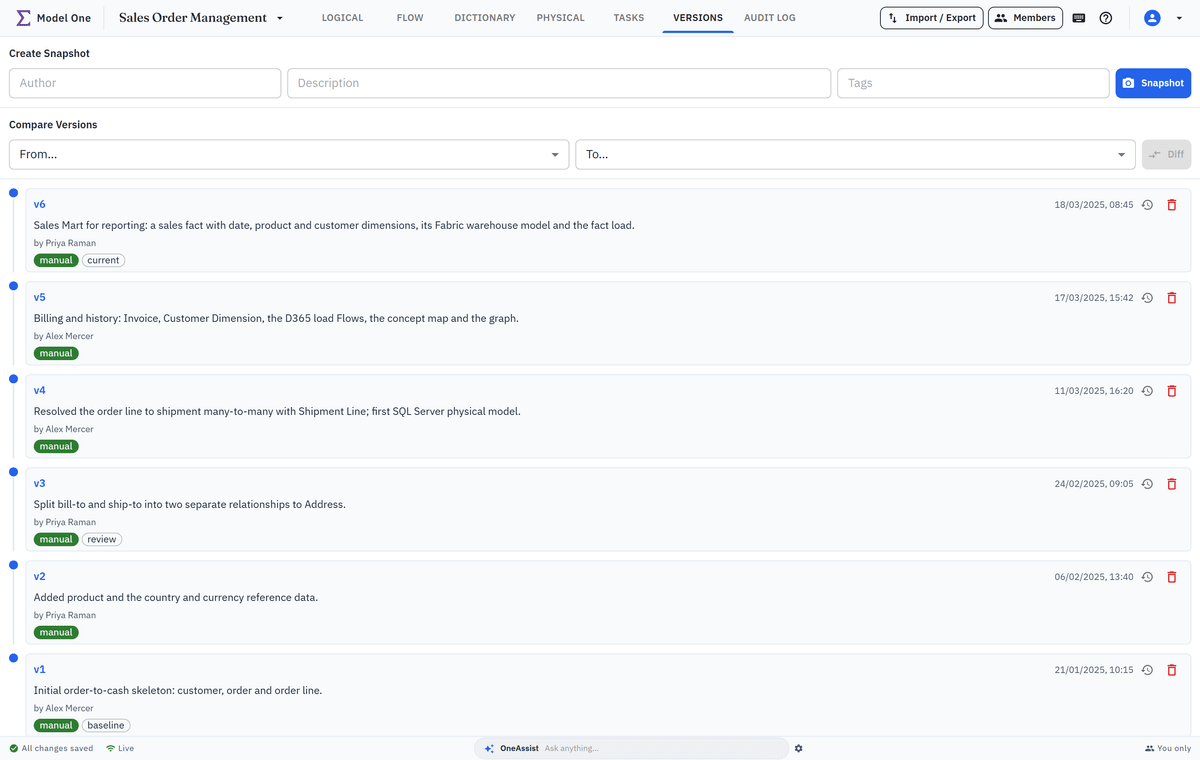
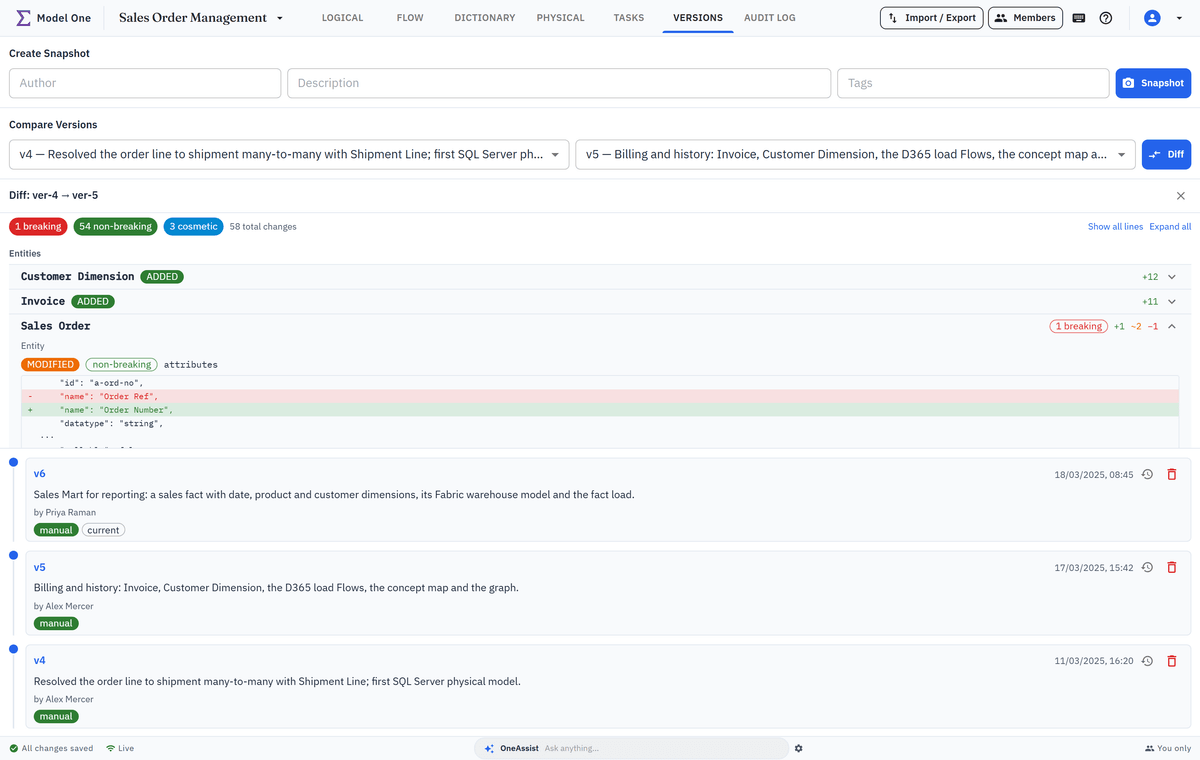
Take a snapshot with a description and tags such as release or baseline; the number — v1, v2, v3 — is assigned for you and never reused. Model One also takes one automatically before an import, a restore and other broad operations. If a change goes wrong, restore only the entities, relationships, physical models and Flows you tick, with a safety snapshot taken first.
- Snapshots of the whole design, numbered for you, with a description and tags
- Manual, Import and Auto badges show how each version was made
- Restore the objects you tick, or roll the whole logical model back
- A Before restore snapshot is always taken first, so there is a way back
- Any version can be the baseline of a migration script