Feature deep dive

AI assistant

An assistant that reads your actual project — and never changes it without your approval.

AI assistant panel suggesting entities
Overview

Context, not autocomplete

The assistant works from your model, your dictionary and your naming standards.

A generic chatbot can produce a plausible-looking data model. It cannot know that your organisation already defines a customer in a particular way, or that a term is deliberately named differently in one module.

The Model One assistant reads the project it is working in, so its drafts reuse your existing entities and dictionary terms instead of inventing parallel ones.

Nothing is applied silently. Every proposed change is presented for review, and you decide what lands in the model.

Walkthrough

Working with the assistant

Four ways teams use it day to day.

Step 1

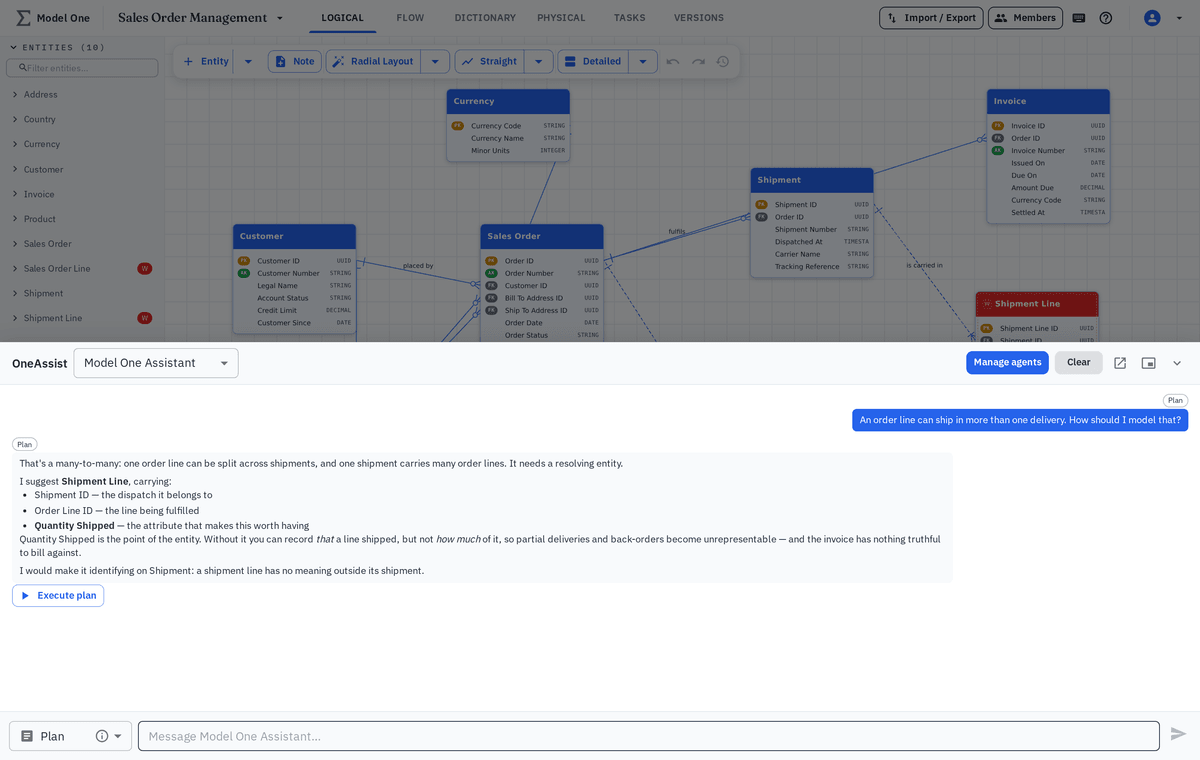
Draft a domain from a plain-language brief

Describe the area you are modeling in ordinary language and get a first-pass set of entities, attributes and relationships to react to.

  • First draft in seconds instead of a blank canvas
  • Existing entities reused rather than duplicated
  • Dictionary terms applied where they already exist
  • Everything presented as a proposal, not a change
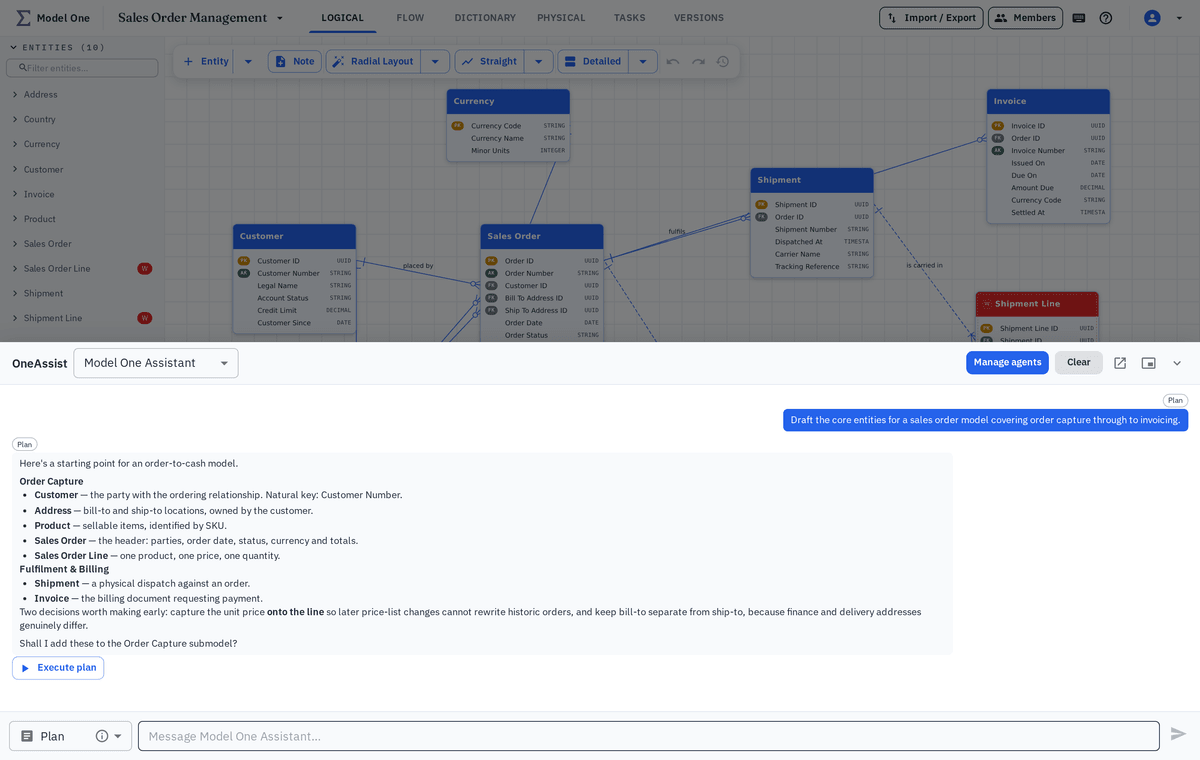
AI assistant drafting demo entities from a written brief
Step 2

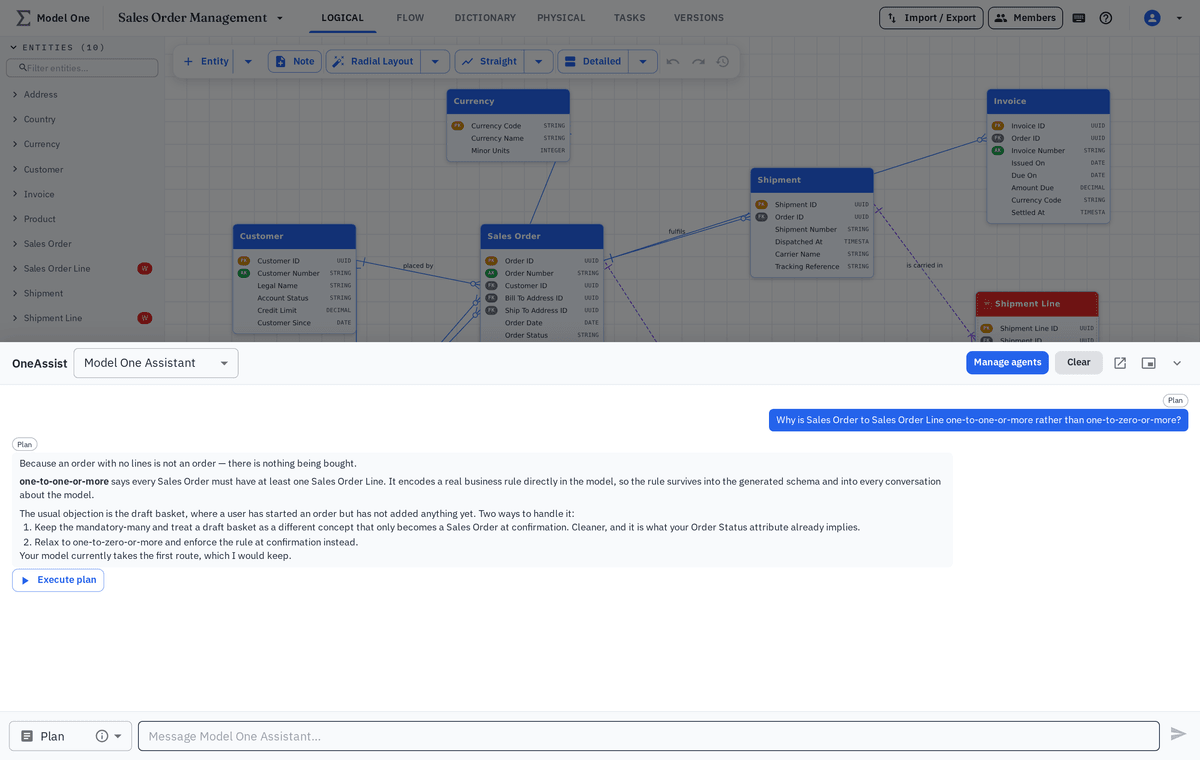
Get attribute and naming suggestions

Ask what an entity is missing, or have the assistant check a module against your naming standards and flag the inconsistencies.

  • Missing attribute suggestions per entity
  • Naming consistency checks across a module
  • Duplicate and near-duplicate term detection
  • Suggestions explained, not just asserted
Attribute suggestions listed for a demo entity
Step 3

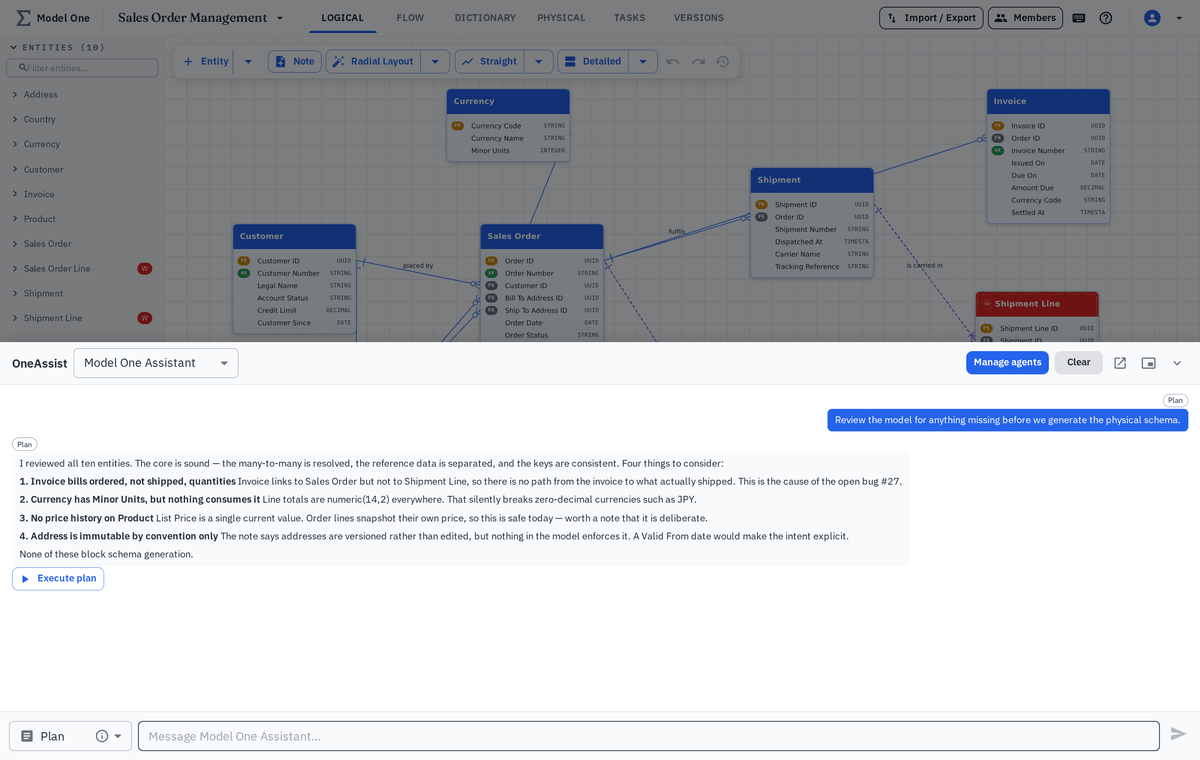
Ask the model to explain itself

Point at an unfamiliar part of the model and get a readable explanation of what it represents and how it connects to everything else.

  • Plain-language summaries of any entity or Flow
  • Relationship paths between two concepts
  • Fast onboarding for people new to the project
  • Answers grounded in the project, not general knowledge
AI assistant explaining a demo entity and its relationships
Step 4

Review before anything is applied

Proposed changes are shown as a reviewable set. Accept the parts that are right, discard the rest, and the model only changes when you say so.

  • Per-item accept and discard
  • Preview of the resulting model before applying
  • Changes recorded in version history like any other edit
  • Permissions respected — viewers cannot apply anything
Review panel showing proposed changes before they are applied
Highlights

Assistance you can trust

Speed is only useful if the result is reviewable.

Project-aware

Suggestions reuse your existing entities, terms and conventions.

Always reviewed

Nothing is applied to the model without an explicit human decision.

Fully traceable

Accepted suggestions appear in version history like any other change.

Keep exploring

Where the assistant helps most

It works across every module in the project.

Try the assistant on your own model

Bring a domain and we will draft, review and refine it together.