Step 1
Define the stages, and see what each one holds
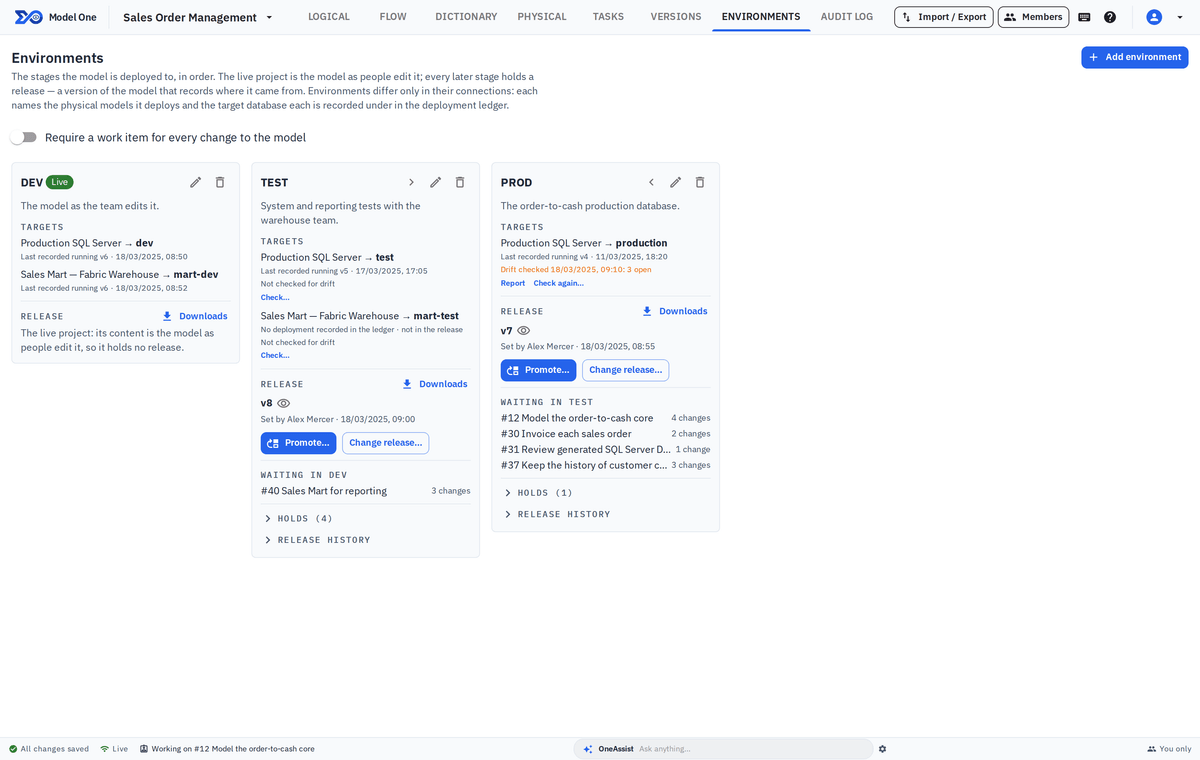
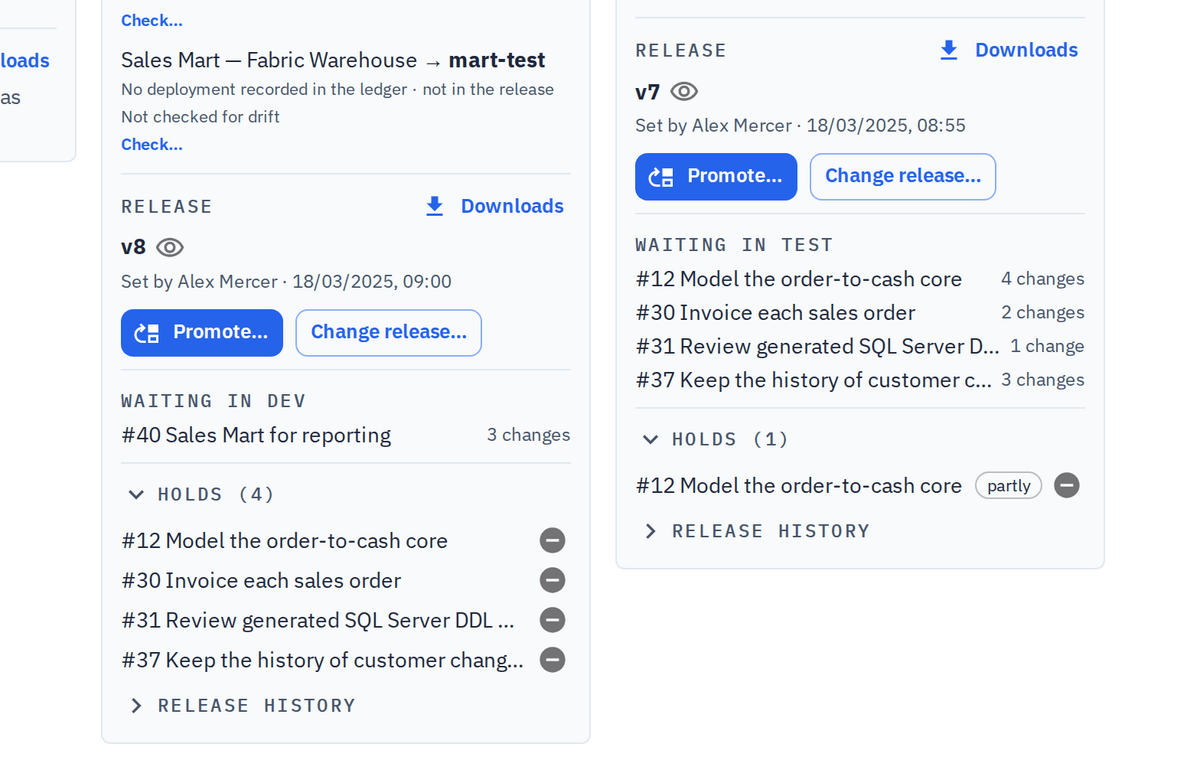
An owner adds the environments in order: the live project first, usually DEV, then stages such as TEST and PROD. Each stage names the physical models it deploys and the target database each one is recorded under. The Environments tab gives every stage a column: its targets, the release it holds with its files, the promotions on their way in and the efforts waiting in the stage before. Open any release to read it in the modelling views.
- Up to 20 stages in order; the live project comes first and holds no release
- DDL, dbt project and migration downloads for each stage, generated from what it holds
- One dbt project for every stage, with a profiles.yml target for each environment
- A stage's release, or any version, opens read only in the Logical, Flow, Dictionary and Physical views